
Logging in for the first time
By the end of this guide you’ll be on the app’s home page, ready to work on your book.
-
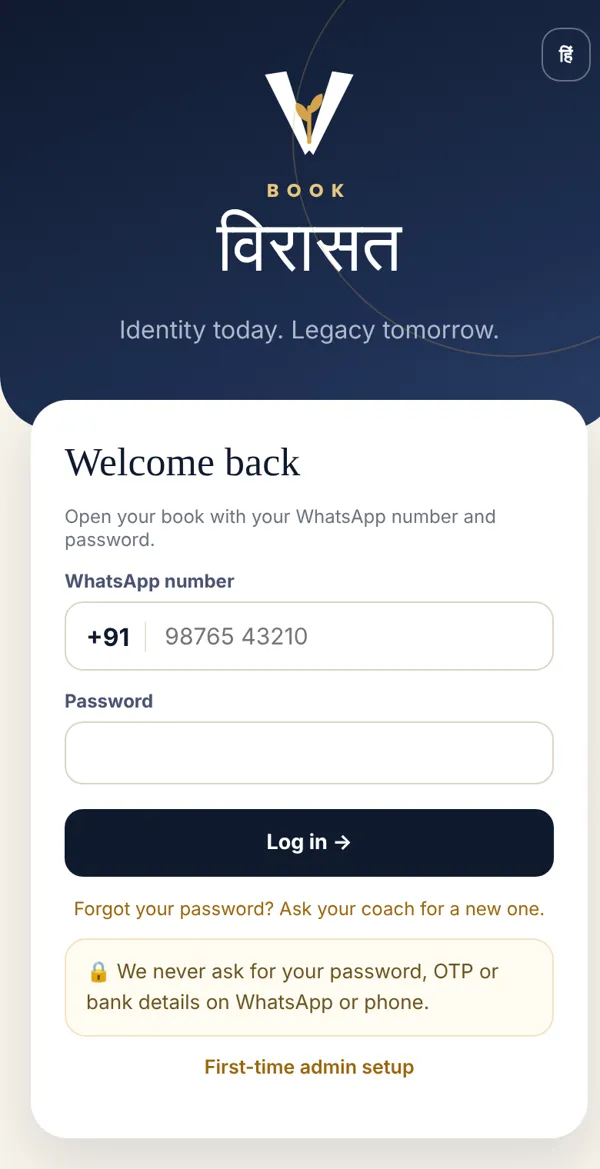
Open app.bookvirasat.in in the browser on your phone or computer. To change the language, tap EN / हिं at the top right.
-
Type your 10-digit number in WhatsApp number (+91 is already there). Then type your Password and tap Log in.
-
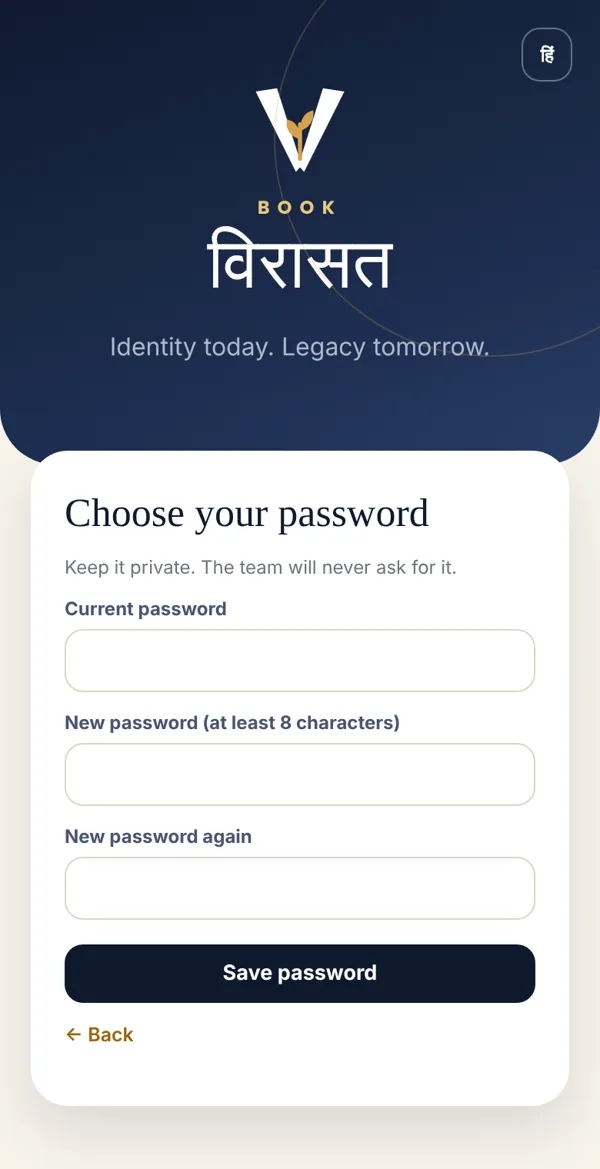
The first time, the app asks you to Choose your password. Type the password your coach gave you at the top, then your new password twice (at least 8 characters), and tap Save password.
-
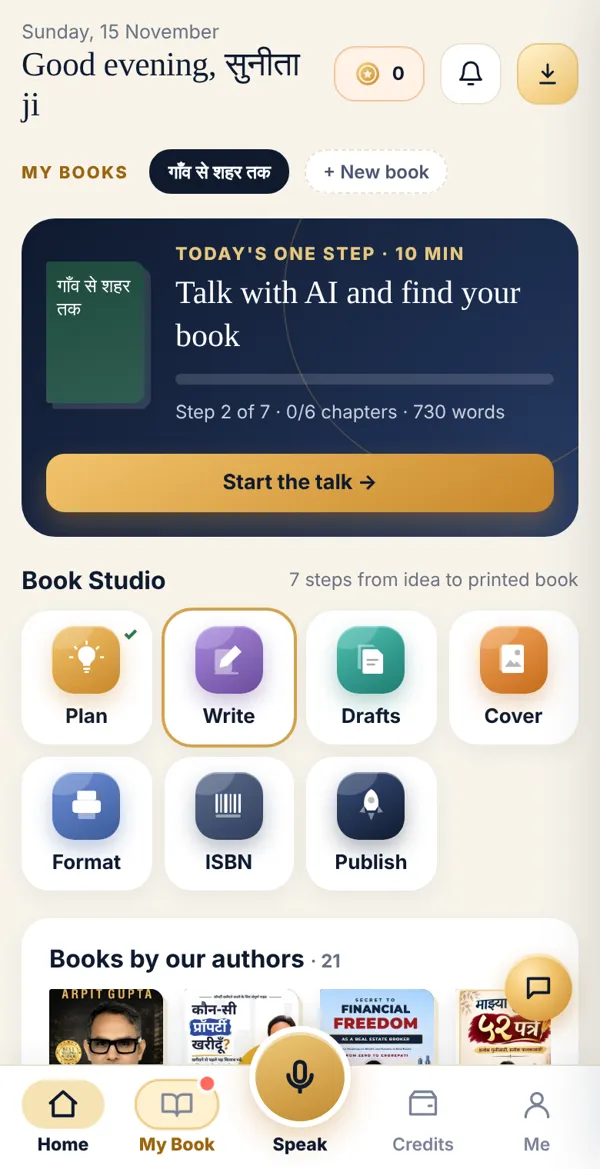
The home page opens, with your name at the top and “Today’s one step” below.
Done? Check it like this
Section titled “Done? Check it like this”If the home page greets you by name and shows your book’s title, you are logged in.
Stuck?
Section titled “Stuck?”- Forgot your password: Ask your coach. They can give you a new one from Coach Desk. Then repeat step 3 above.
- “Number not found”: The team may have added you with a different number. Ask your coach which number they used.
- Someone asks for your password or OTP on WhatsApp: Never give it. The Book Virasat team never asks for it.
Related articles
Section titled “Related articles”Was this guide helpful?
Thank you! This helps us improve the guides.