
A tour of Coach Desk and its instruction book
Coach Desk is the team’s office — inside the same app (app.bookvirasat.in) authors use. If your number has a team role, it opens when you log in.
-
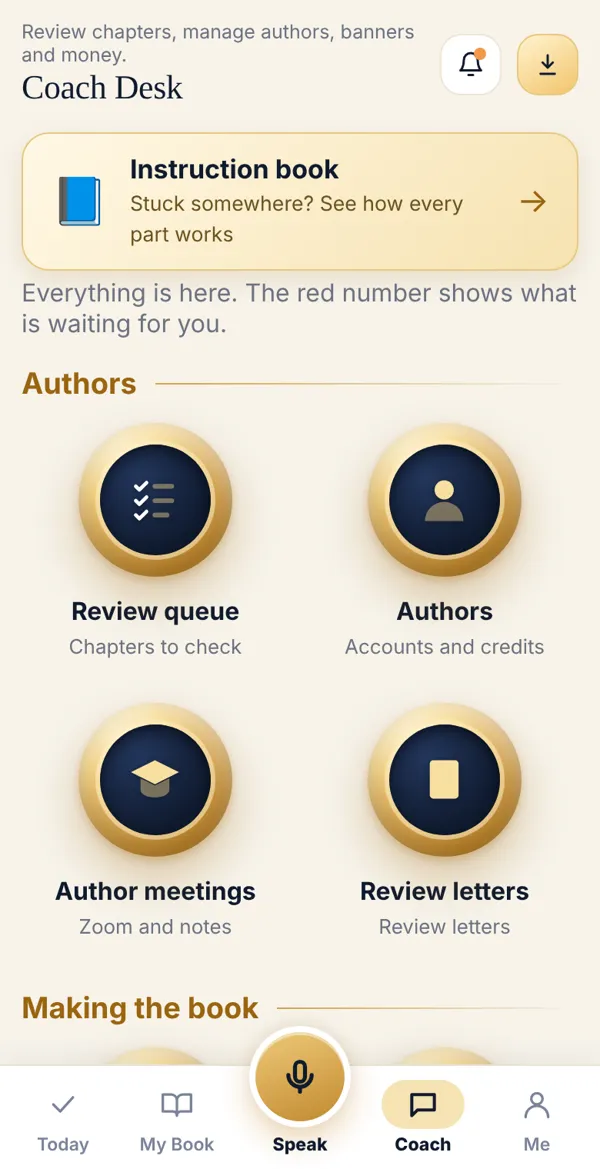
Tap Coach at the bottom of the app. All tasks appear on one page under four headings: Authors, Making the book, Sales and promotion, Admin.
-
A red count on a button means that many items are waiting for you — e.g. 3 chapters in the review queue. Go there first.
-
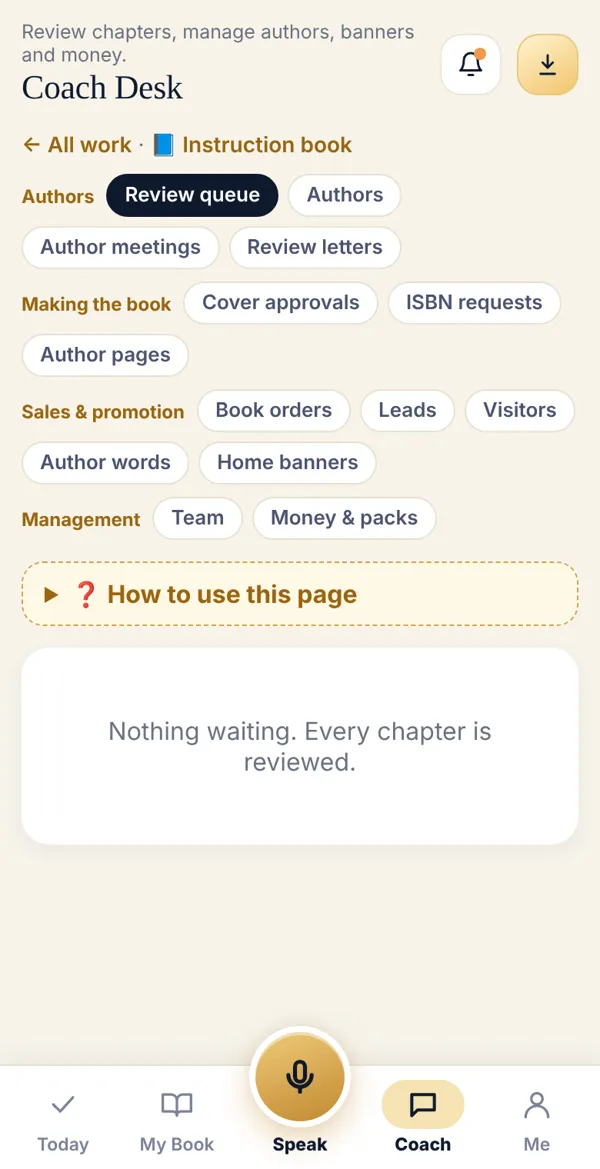
Tap a button to open that task. Use the chip bar at the top to jump to another task, and ← All tasks to go back.
-
Stuck inside a task? Open ❓ What to do here — the steps for that task are right there.
-
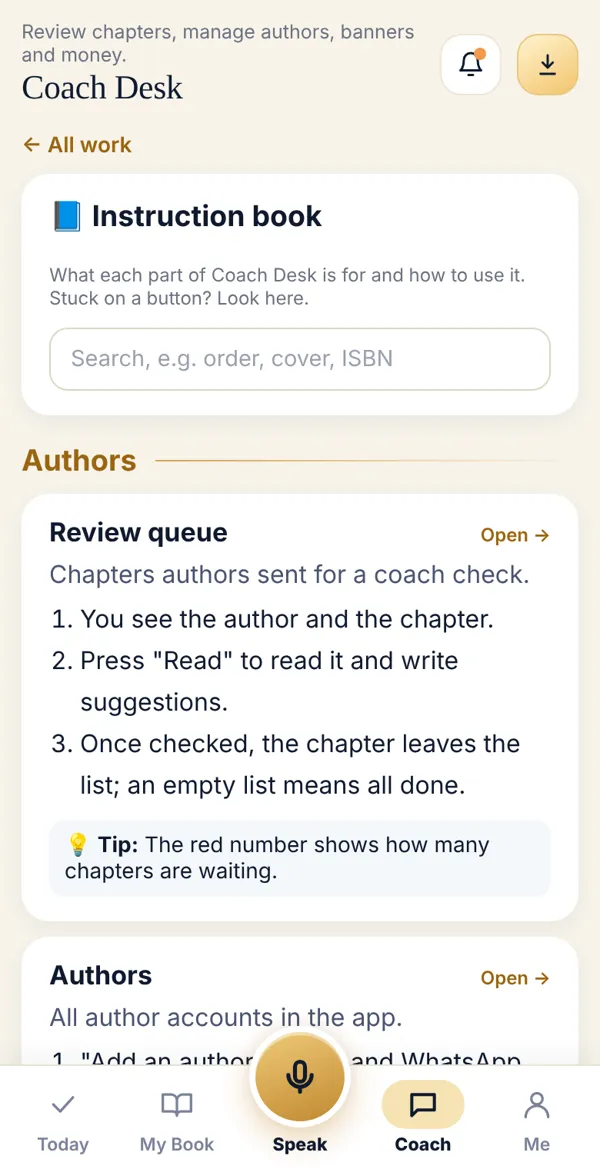
Want everything in one place? Open 📘 Instruction book at the top. It explains every task and has a search box.
What’s under the four headings
Section titled “What’s under the four headings”- Authors: review queue, authors, author meetings, review letters.
- Making the book: cover approvals, ISBN applications, author pages.
- Sales and promotion: book orders, leads, visitors, author experiences, home banners.
- Admin (admins only): team, money and packs.
Done? Check it like this
Section titled “Done? Check it like this”Coach Desk opens with golden buttons, and the red counts go down as you finish tasks.
Stuck?
Section titled “Stuck?”- No Coach Desk: Your account is an author account. Ask the admin to add your team role.
- Some buttons are missing: Some tasks (team, money) are visible to admins only.
Related articles
Section titled “Related articles”Thank you! This helps us improve the guides.